CurtainShot
Pull a curtain over your screen, mark up what it caught, pull it back up to save.
Get CurtainShot on the Mac App Store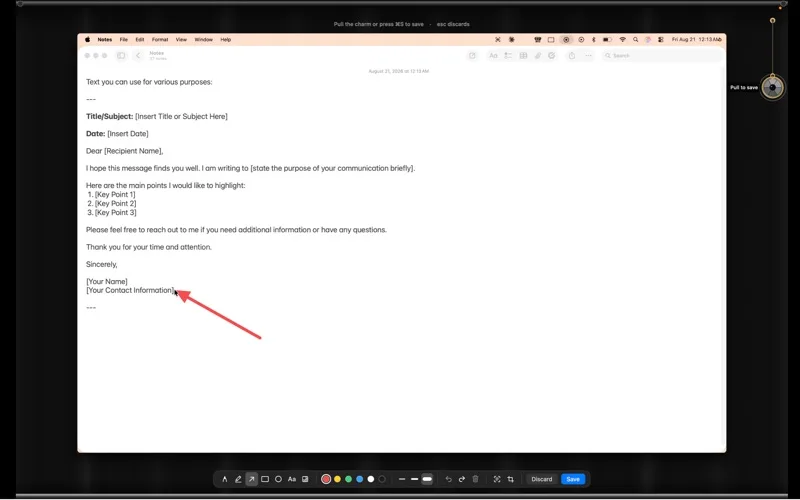

A charm hangs on a cord from the edge of your menu bar. Pull it down and let go: your screen is photographed, a black curtain rolls over everything, and the frozen picture appears on the cloth with a set of annotation tools. Draw on it. Pull the charm again and the marked-up capture is saved to your folder as a PNG, the curtain rolls away, and your desktop is exactly as you left it.
Getting out
Press Escape and the curtain lifts. Escape only ever raises it, never lowers it, so it can never make your screen less reachable. Escape discards the capture. Saving is always the deliberate act: pull the charm, press ⌘S, or click Save.
What it needs
macOS 14 or later, and Screen Recording permission, which is how macOS lets any app photograph the screen. It is used for nothing else. CurtainShot makes no network calls at all.
Get CurtainShot